Ionos has changed how they manage SSL certificates, cut a long story short you need to create a PEM file.
From Ionos Control Panel, go to Domains and SSL > Certificates. If it isn’t already then under Advanced Settings > Change Usage. Once the private key is downloaded, download the certificate and intermediate certificates.
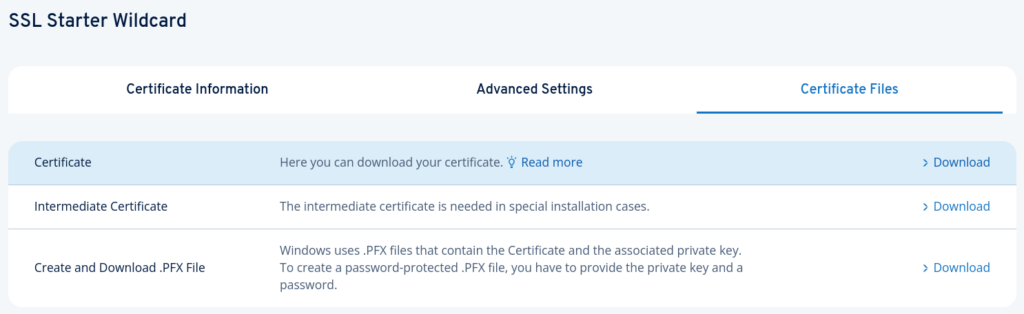
We need to combine these files into a single file, here’s a script to do so:
#!/bin/bash

# Configuration
OUTPUT_FILE="combined_certificate.pem"
ZIP_FILE=$(ls *.zip 2>/dev/null | head -n 1) # Assumes there is one zip file

# 1. Clean up any previous attempts
rm -f "$OUTPUT_FILE"

echo "--- Starting PEM creation process ---"

# 2. Unzip intermediate certificates
if [ -f "$ZIP_FILE" ]; then
    echo "Unzipping $ZIP_FILE..."
    # -j (junk paths) unzips files into the current directory without creating subfolders
    unzip -j "$ZIP_FILE" "intermediate*.cer" -d .
else
    echo "Error: No zip file found for intermediates."
    exit 1
fi

# 3. Identify the primary files
PRIVATE_KEY=$(ls *_private_key.key 2>/dev/null | head -n 1)
SSL_CERT=$(ls *_ssl_certificate.cer 2>/dev/null | head -n 1)

# Validate files exist
if [ -z "$PRIVATE_KEY" ] || [ -z "$SSL_CERT" ]; then
    echo "Error: Private key or SSL certificate file not found."
    exit 1
fi

echo "Using Private Key: $PRIVATE_KEY"
echo "Using SSL Certificate: $SSL_CERT"

# 4. Concatenate in the specific order
echo "Concatenating files..."

# Add Private Key
cat "$PRIVATE_KEY" > "$OUTPUT_FILE"
# Add a newline as file doesn't end with one
echo "" >> "$OUTPUT_FILE"

# Add SSL Certificate
cat "$SSL_CERT" >> "$OUTPUT_FILE"

# 5. Add Intermediate Certificates in numerical order
# sort -V (version sort) ensures intermediate10.cer comes after intermediate2.cer
INTERMEDIATES=$(ls intermediate*.cer 2>/dev/null | sort -V)

if [ -n "$INTERMEDIATES" ]; then
    for file in $INTERMEDIATES; do
        echo "Adding $file..."
        cat "$file" >> "$OUTPUT_FILE"
    done
else
    echo "Warning: No intermediate certificates found after unzipping."
fi

echo "--- Process Complete ---"
echo "Result saved to: $OUTPUT_FILE"
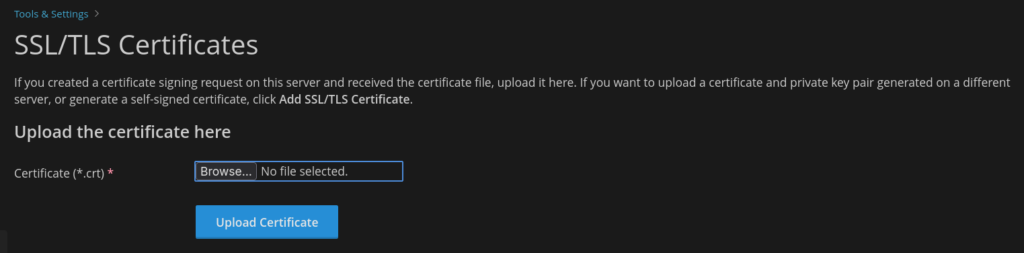
Then upload the pem file to Plesk under Tools & Settings > SSL/TLS Certificates:
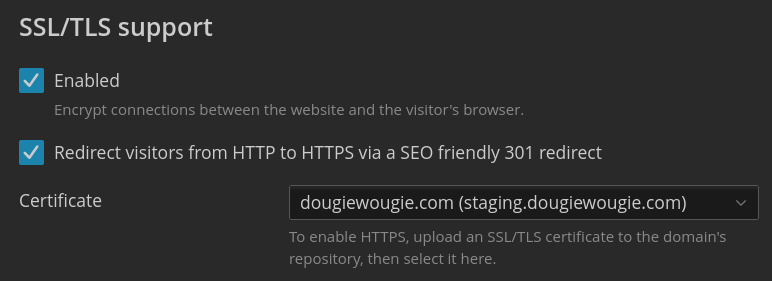
Finally, remember to attach the certificate to each site (Websites & Domains > Your Domain Name > Hosting & DNS > Certificate).